What's new
RevTeam.Re - Reverse Engineering Team

Welcome Guest! Register a free account today to become a member! Once signed in, you'll be able to participate on this site by adding your own topics and posts, as well as connect with other members through your own private inbox! Register and wait for our approve!

Solved SDRecovery Tool V 2.2

Solved Request

hanalog

Well-known member
Joined
Jan 19, 2024
Messages
93
Reaction score
192
Program Name and Version :

Code:
SDRecovery Tool V 2.2

Program Link ( Employee ) :
Code:
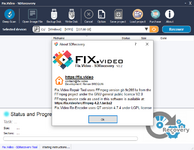
Please, Log in to view URLs content!
2024-01-22_234906.png

Language written:
Code:
GCC MINGW-64w compiler for 32/64 bit ( exe ) -
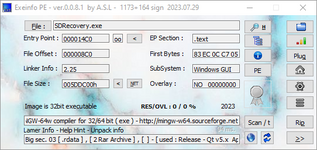
Please, Log in to view URLs content!

2024-01-22_235007.png

Restrictions :
Code:
We cannot export recovered data and view data
Adding watermark etc. Registration limit.
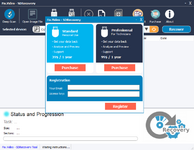
2024-01-22_234914.png
File Size ( MB ) :
Code:
51,6MB

Description ( Brief information about the program ) :
Code:
Can run on Windows 10 to Windows 11 only
 

tonyweb

Member
Joined
Nov 5, 2022
Messages
9
Reaction score
26
Please, Log in to view quote content!
Thanks for the feedback.

Do you know if there is a way to use/test it without an actual sdcard? I haven't one at hand.

I need to check the behavior myself while debugging.
Is there a reliable sd emulator or the like?

A quick search yielded this result
Code:
Please, Log in to view codes content!

Would it be suitable for testing the software? Thanks.

Regards,
Tony
 
Last edited:

RFE

Member
Joined
Sep 11, 2022
Messages
15
Reaction score
64
Test it and tell me.
View hidden content is available for registered users!


If you block the internet connection, just you will see the purchase button etc.
But you will still recovery your files.
If you let it to connect in internet the purchase button disappears...
tricky app...
 
Top