
RevTeam.Re - Reverse Engineering Team
You are using an out of date browser. It may not display this or other websites correctly.
You should upgrade or use an alternative browser.
You should upgrade or use an alternative browser.
Reclaime Pro Build 0x4xx
- Thread starter iphdd
- Start date
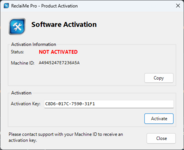
It's working
Could you check the Ultimate version?


hi i
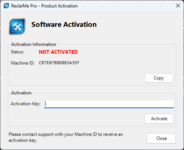
how get new activate key for other id too?
i have switch pc to:
how get new activate key for other id too?
Last edited:
Think i tried a while back...when i saved files they were 0 size..ill look again
bunion
parameter change:ReclaiMePro.exe -offlined
Then, enter an unexpired CD-KEY to complete offline activation
~~~~~~~~~~~~~~~~~~~~~~~~~~~~~~~~~~~~~~~~~~~~~~~~~~~~~~~~~~~
ReclaiMePro.exe -offlined There is no activation dialog box.
Then, enter an unexpired CD-KEY to complete offline activation
~~~~~~~~~~~~~~~~~~~~~~~~~~~~~~~~~~~~~~~~~~~~~~~~~~~~~~~~~~~
ReclaiMePro.exe -offlined There is no activation dialog box.
I think its Job Done for this latest Reclaime Recovery

h@ttps://mega.nz/file/625SXJYL#0HXl_pAuxz_PwSH1LnTD1NqmqUAJDmgQS40b5ld_Ng0
revteam.re/forum
Test let me know..Iknow it works on my windows pc with NTSC.....I dont know about mac ,linux etc..
Note if testing on a mac drive etc..you run the tests using the installed windows version!
Enjoy...bunion
Ps..Doesnt "ReclaimePro" do what this does but better?
I should be posting this sort of stuff in members own work!
Hi,
Mac linux mean... they import the physical dump from hfs,ext4,,, partition, also is run on windows only no need mac, linux os, could you made a universal patch for other version of it?
Hi bunion
Tried Reclaime Ultimate and this is the error that I receive when I try to save some files: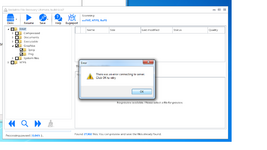
This is a WIn 7x64 machine...and I have to terminate the program from task manager.
EDIT: Sorry...tested on a WIN10x64 machine and everything is ok.
Rgds
Tried Reclaime Ultimate and this is the error that I receive when I try to save some files:
This is a WIn 7x64 machine...and I have to terminate the program from task manager.
EDIT: Sorry...tested on a WIN10x64 machine and everything is ok.
Rgds
Last edited:
Hi
New version 4416 is out.
Can you look at it?
Thanks
Here u go..
h@ttps://mega.nz/file/vioiCKLR#zcVBOjvf8AymIEVJn5MvGzXhCuZHbP-bTPNziuQHuBM
revteam.re/forum
Just a quick fix..if u want it nice and pretty like my last release
then follow my tutorial on this!
Enjoy...bunion
Dunno about other people but i had to right click &
choose "compatibilty" .."Change high DPI settings".."System Enhanced"
to view proper scaling on my "4k tv" monitor
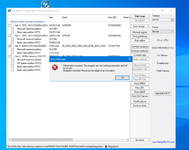
ok ill check it out..
ive never used that "disk edit" button!..is that for choosing a drive to scan & recover files?
i just tick the drives i want and click "start scan"..which works no probs
in any case thats a bug from my fix so thx for letting me know!
bunion