zilleq
Active member
- Joined
- Sep 24, 2026
- Messages
- 32
- Reaction score
- 72
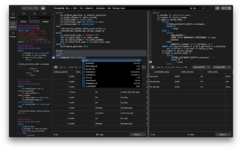
TablePlus is a native database management tool with a modern, minimalist graphical user interface (GUI). It is designed to allow developers and system administrators to create, access, query, and edit multiple databases simultaneously, quickly, and securely—all from a single application.
Key Features
Multi-purpose compatibility: Enables the management of both relational and non-relational (NoSQL) databases. It supports popular systems such as MySQL, PostgreSQL, SQLite, Microsoft SQL Server, MariaDB, Amazon Redshift, Redis, and MongoDB.
Fast, native application: Built natively for operating systems including macOS, Windows, and Linux, it stands out for its high performance, lightweight design, and low memory consumption compared to browser-based or Electron-based tools.
Advanced security: Features robust security capabilities, including native SSH tunneling, two-factor authentication via interactive keyboard, and a "Safe Mode" that prevents accidental modifications in production environments.
Intuitive visual editor: Allows for the modification of records, table structures, and data directly within a spreadsheet-like interface, with changes applied via a confirmation queue that lets you review everything before saving.
Developer tools: Includes an intelligent SQL code editor with autocompletion, syntax highlighting, customizable keyboard shortcuts, and an integrated tool for creating database (ER) diagrams.
Homepage:
Key Features
Multi-purpose compatibility: Enables the management of both relational and non-relational (NoSQL) databases. It supports popular systems such as MySQL, PostgreSQL, SQLite, Microsoft SQL Server, MariaDB, Amazon Redshift, Redis, and MongoDB.
Fast, native application: Built natively for operating systems including macOS, Windows, and Linux, it stands out for its high performance, lightweight design, and low memory consumption compared to browser-based or Electron-based tools.
Advanced security: Features robust security capabilities, including native SSH tunneling, two-factor authentication via interactive keyboard, and a "Safe Mode" that prevents accidental modifications in production environments.
Intuitive visual editor: Allows for the modification of records, table structures, and data directly within a spreadsheet-like interface, with changes applied via a confirmation queue that lets you review everything before saving.
Developer tools: Includes an intelligent SQL code editor with autocompletion, syntax highlighting, customizable keyboard shortcuts, and an integrated tool for creating database (ER) diagrams.
Homepage:
Please,
Log in
to view URLs content!